Create an API Access Token
To use the GoodData API, you can generate a personal access token and use it to access the GoodData resources on behalf of the issuing user.
You can create API tokens for yourself, or a user with a permission to manage your organisation can create it for you.
Generate Personal Access Tokens
To generate a token, use one of the following methods that are described below.
Unable To Create New Token?
By default, only administrators (users with the organization.MANAGE permission) can create new API access tokens. If you’re not an administrator but wish to use API tokens for authentication, request your administrator to grant you the organization.SELF_CREATE_TOKEN permission. For details, see Set Permissions for Organization.
On homepage, go to Settings.
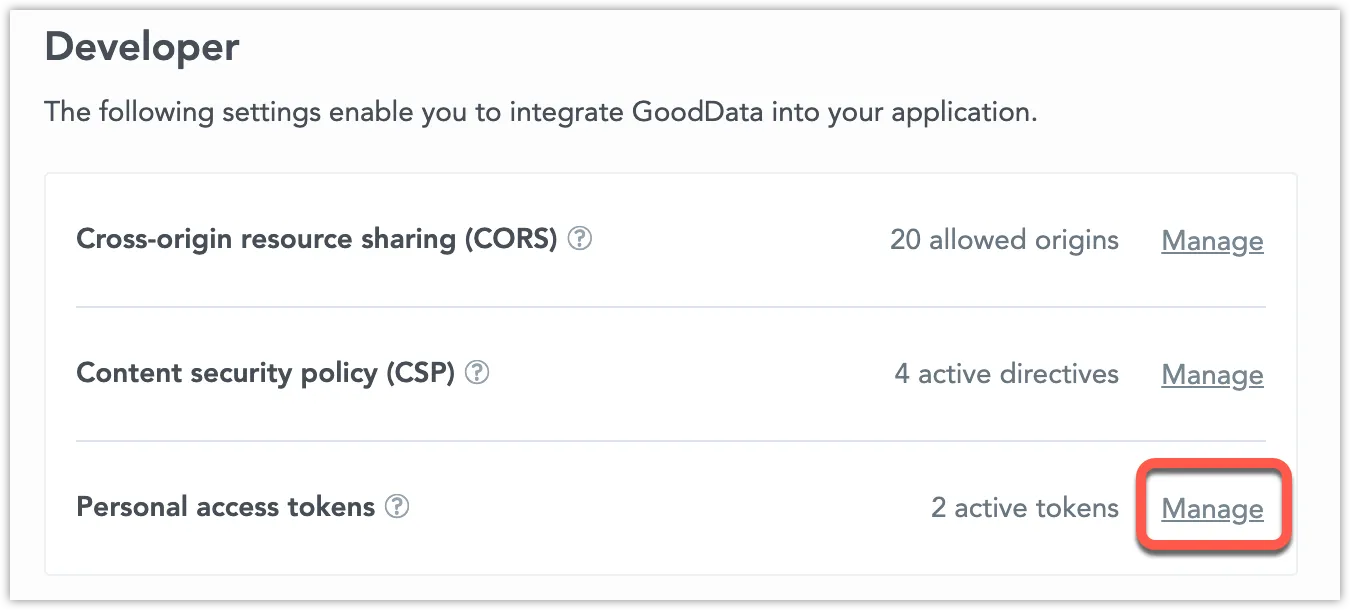
In the Developer section, next to Personal access tokens, click Manage.
Click + Create.
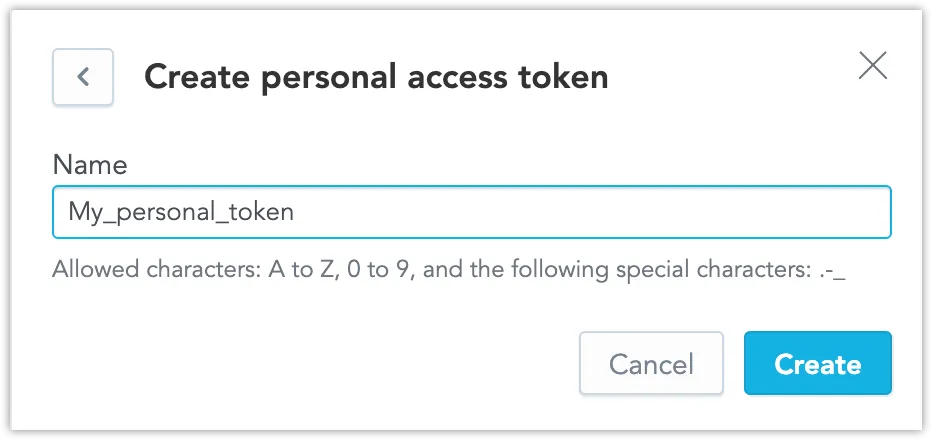
Type a name for the token and click Create.
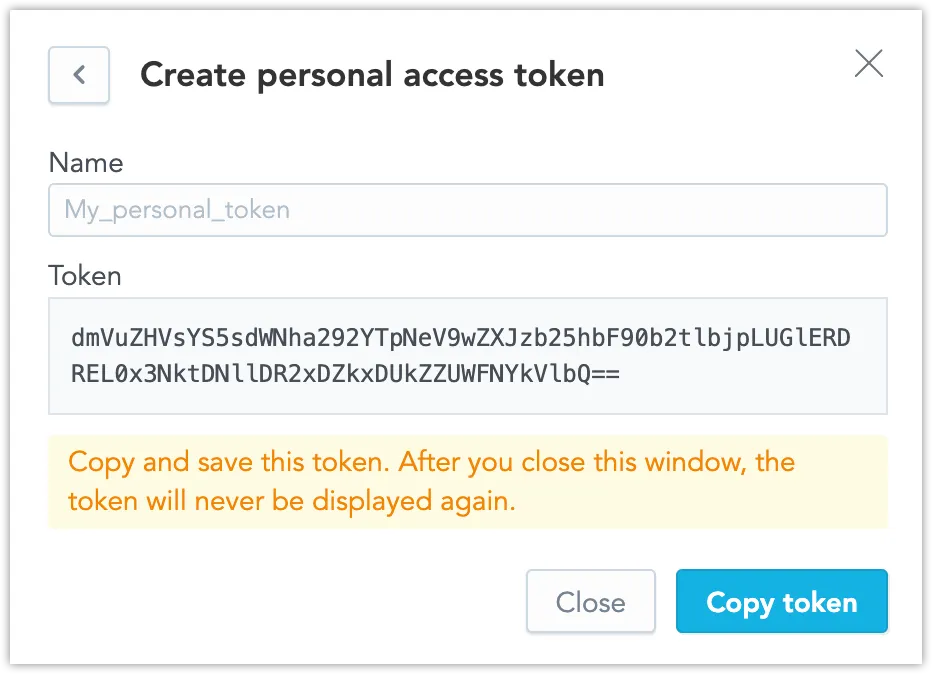
- Copy the token and close the window.
To remove any token, open the list of tokens and click the bin icon on the right.
You can submit a POST request to /api/v1/entities/users/{:userId}/apiTokens.
In the Authorization header of the request, provide the value of a different token (another user’s API token or the $BOOTSTRAP_API_TOKEN.
curl --request POST -H 'Content-type: application/vnd.gooddata.api+json' \
    -H 'Authorization: Bearer <other-token>' \
    -d '{"data":{"id":"mynewtoken","type":"apiToken"}}' \
    $HOST_URL/api/v1/entities/users/john.doe/apiTokens | \
  jq data.attributes.bearerToken
Use the Generated API Token in HTTP Requests
To authenticate using the API token, add the Authorization: Bearer $API_TOKEN header to your HTTP request.
New Tokens
A newly created token can take from under a second to a few seconds before a request authenticated with it succeeds. Send a GET request with that token about every 1–2 seconds until the response is 200, and stop after about 30 seconds.
If a request fails because the new token is not yet available, retry it with the same token. Creating a new token for the retry starts this wait again, and the new requests can fail while the token is still unavailable. Retrying the same token leaves an IP allowlist 403 Forbidden unchanged.
IP Allowlist Policies
If an IP allowlist policy applies to the token owner, API token requests are accepted only from allowed IP addresses or CIDR ranges. Requests from other locations return 403 Forbidden even when the token is valid. Setting an IP allowlist policy is strongly recommended for technical accounts that use API tokens.