Tools
Use existing tools
Request send:
- CURL - https://curl.se
- Postman - https://www.postman.com
- IntelliJ IDEA (Tools -> Http Client) - https://www.jetbrains.com/idea/
For simple use-cases you can use CURL, but it’s heavily recommended using some more advanced tooling to communicate with Gooddata.CN API - especially with capability of generate API requests and payloads from - OpenAPI schema.
Postman
- Install Postman (how-to)
- hit
Import, selectlinkand put URL of raw OpenAPI schema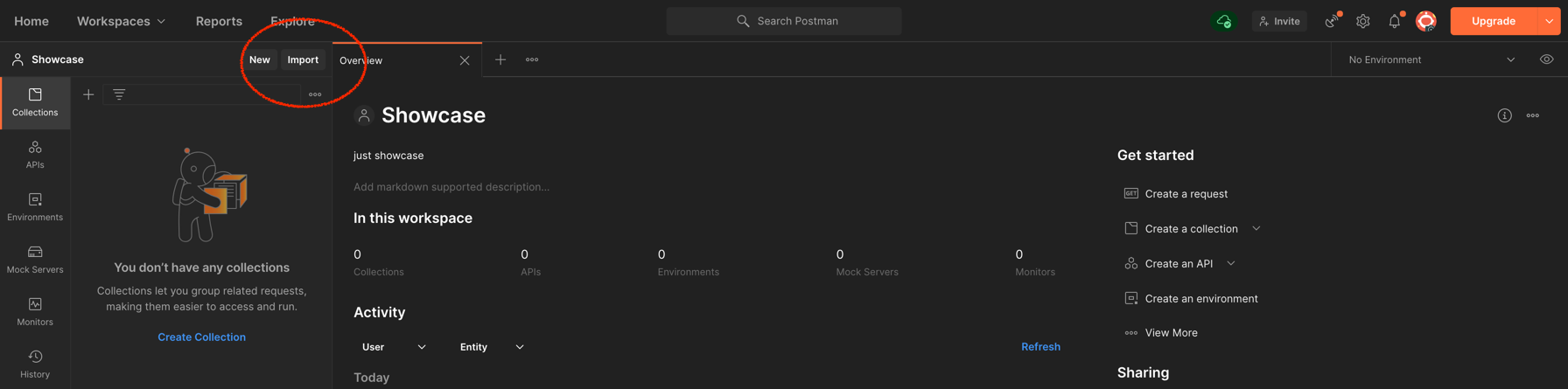
- hit
Continue, keep default advanced settings (be sure that Folder organization is set toTags), hitImport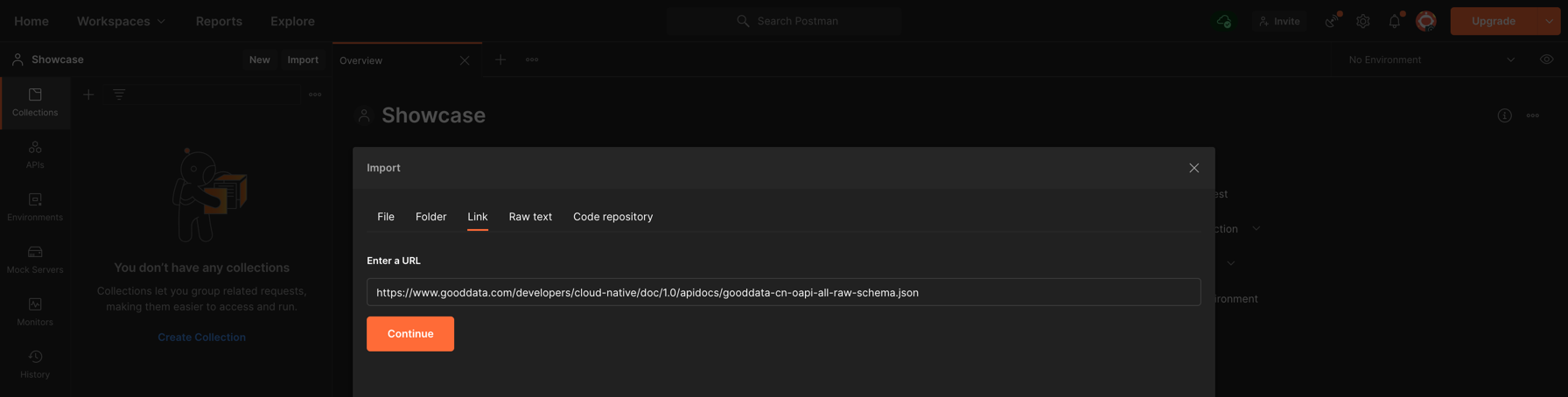
- select
collections, open details and inAuthorizationtab select typeBearer Token+ fillTokenvalue with API Token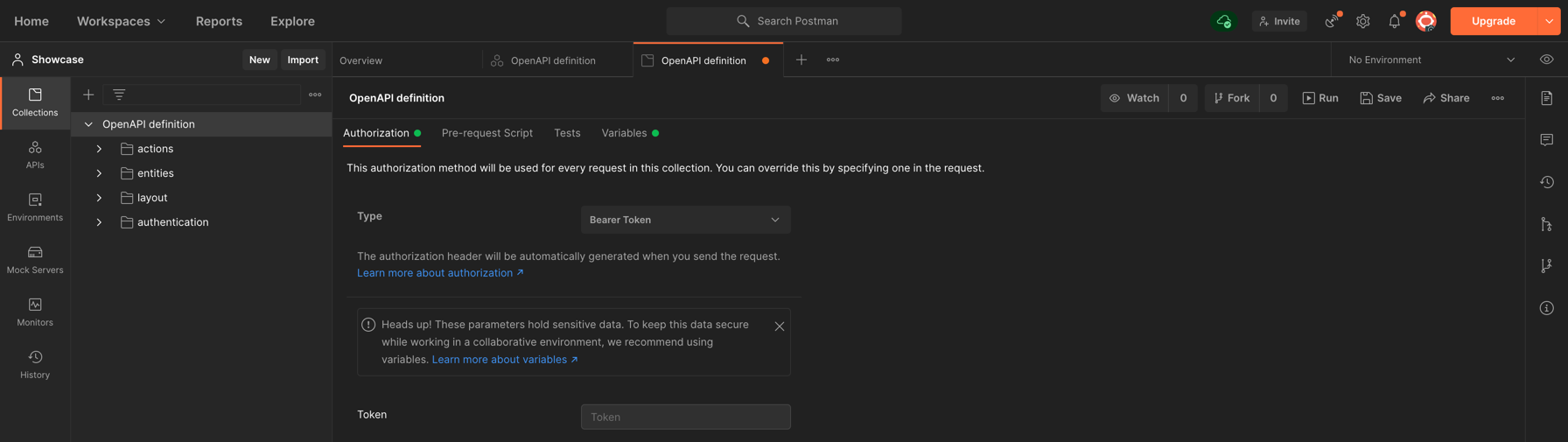
- open details and in
Variables1 tab and setbaseUrlwith base path (scheme + authority pointing to Gooddata.CN endpoint).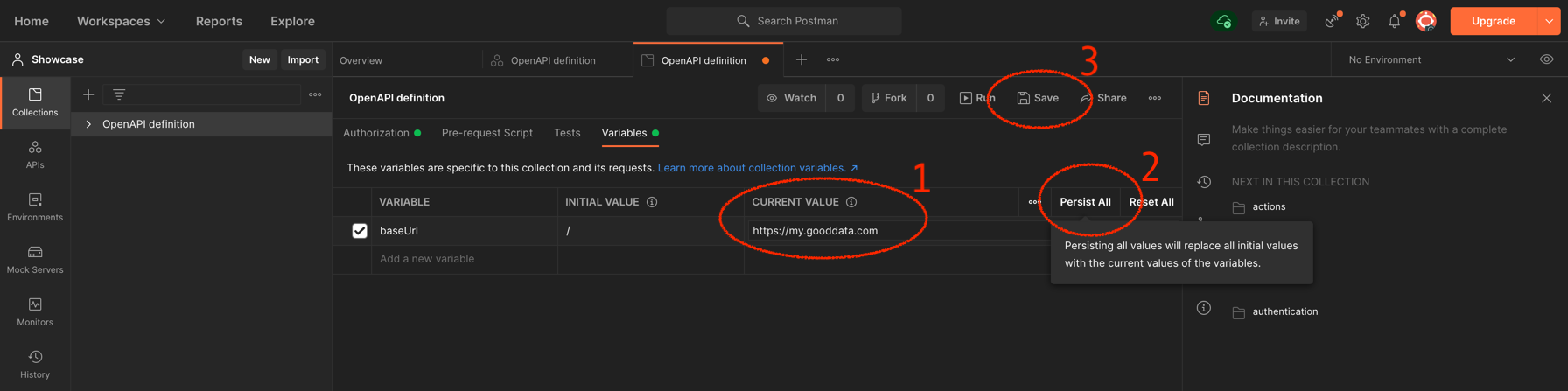
- pick one of the endpoints and try to send request
Generate your own client
- get OpenAPI schema
- generate client in language of your choice by https://openapi-generator.tech 2
example
generate TypeScript client to the current folder:
openapi-generator generate -i $ENDPOINT/docs/api/gooddata-cn-oapi-all-raw-schema.json -g typescript-rxjs -o .where $ENDPOINT = OpenAPI schema
More about Postman variables: https://learning.postman.com/docs/sending-requests/variables/#accessing-variables ↩︎
Note that in some languages the code generated from openapi-generator might not be valid - you have to update it manually. Java/Kotlin: https://github.com/OpenAPITools/openapi-generator/issues/634 / https://github.com/OpenAPITools/openapi-generator/issues/5903 / https://github.com/OpenAPITools/openapi-generator/issues/2892. Python: https://github.com/OpenAPITools/openapi-generator/issues/8892 ↩︎