Use an API Token for Authentication
Using browser-based authentication via an OpenID Connect (OIDC) Identity Provider may not be convenient if you want to use the GoodData API from the command line or some application. For these use cases, you can generate a personal access token and use it to access the GoodData resources on behalf of the issuing user.
Note
You can create API tokens for yourself, or a user with a permission to manage your organisation can create it for you.
Generate Personal Access Tokens
To generate a token, use one of the following methods that are described below.
Important
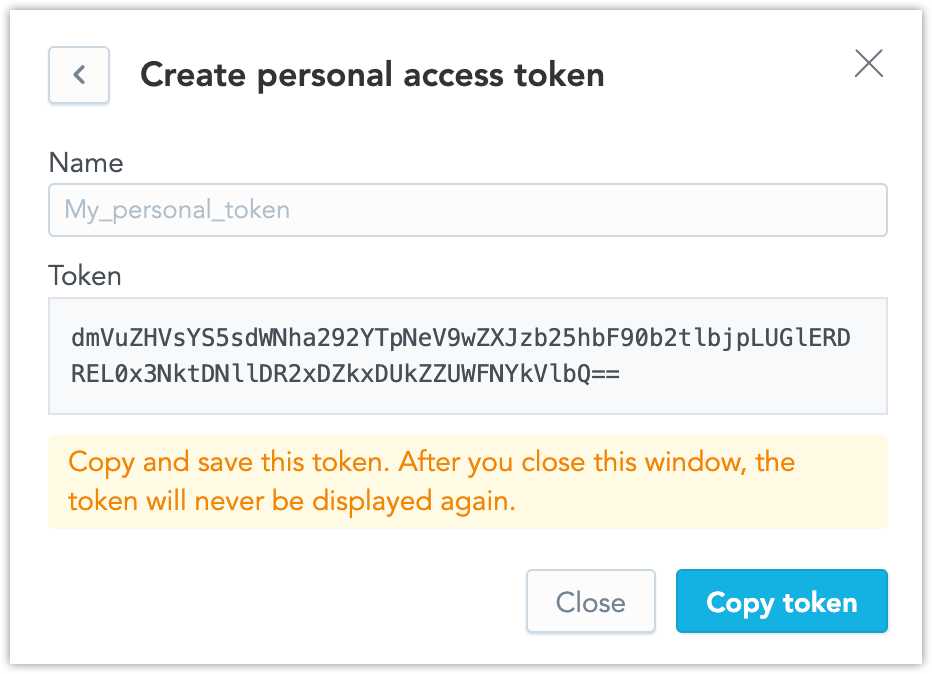
Copy and store the token you create. If lost, the token cannot be retrieved, and you must generate a new token.
On homepage, go to Developer settings.
In the Personal access token section, click Manage.
The list of personal access tokens opens.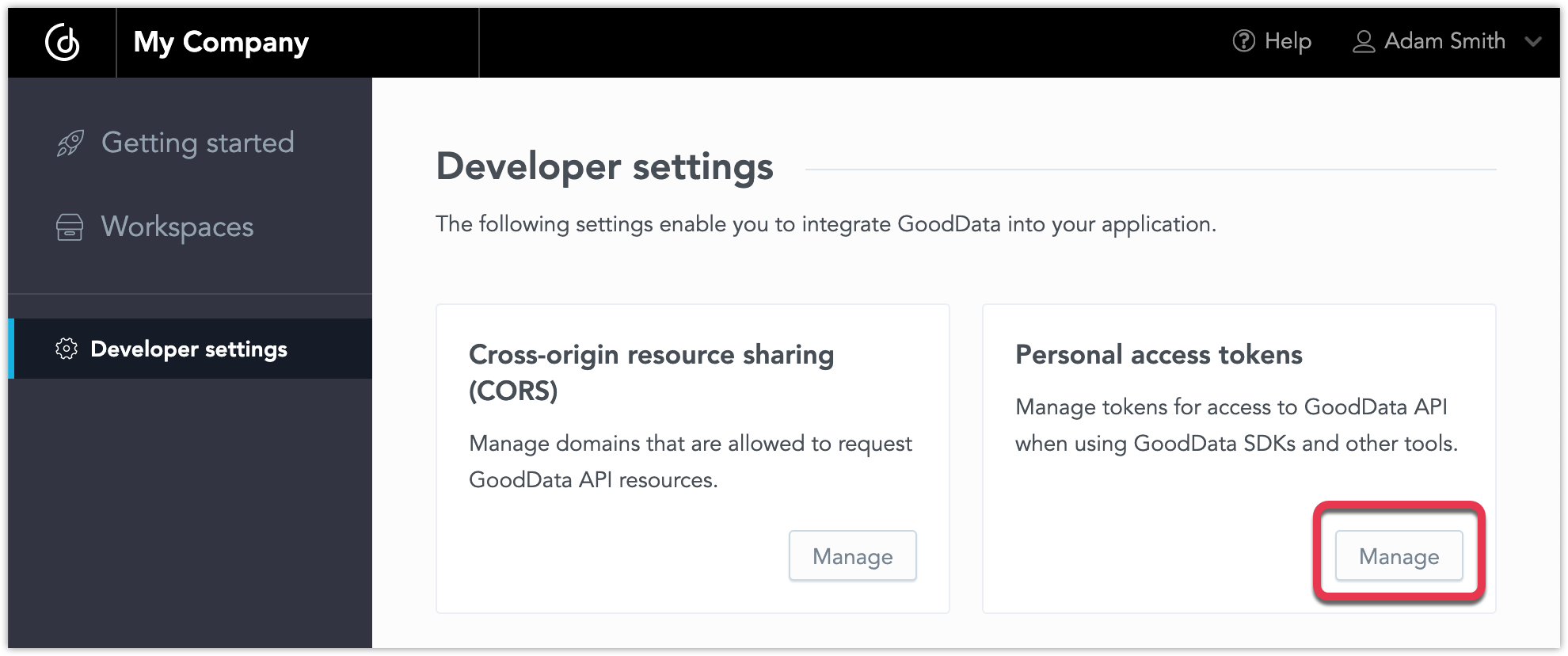
Click + Create.
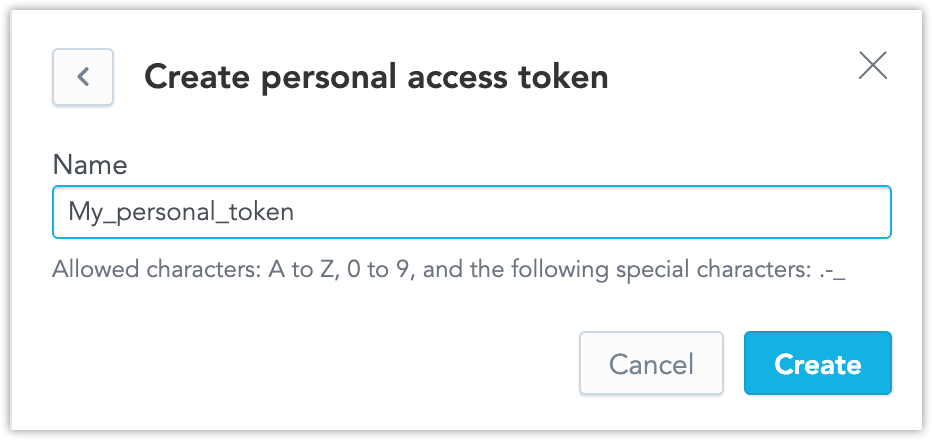
Type a name for the token and click Create.
Copy the token and close the window.
To remove any token, open the list of tokens and click the bin icon on the right.
You can submit a POST request to /api/v1/entities/users/{:userId}/apiTokens.
In the Authorization header of the request, provide the value of a different token (another user’s API token or the $BOOTSTRAP_API_TOKEN).
curl --request POST -H 'Content-type: application/vnd.gooddata.api+json' \
    -H 'Authorization: Bearer <other-token>' \
    -d '{"data":{"id":"mynewtoken","type":"apiToken"}}' \
    https://analytics.alpha.example.com/api/v1/entities/users/john.doe/apiTokens | \
  jq data.attributes.bearerToken
Use the Generated API Token in HTTP Requests
To authenticate using the API token, add the Authorization: Bearer $API_TOKEN header to your HTTP request.