Perform Installation on Azure
In this section, you will install GoodData.CN on your configured Azure Kubernetes Service (AKS) cluster. Using Helm, you will deploy the GoodData.CN Helm chart with customized configurations, ensuring that all components are correctly set up and integrated within your Azure environment.
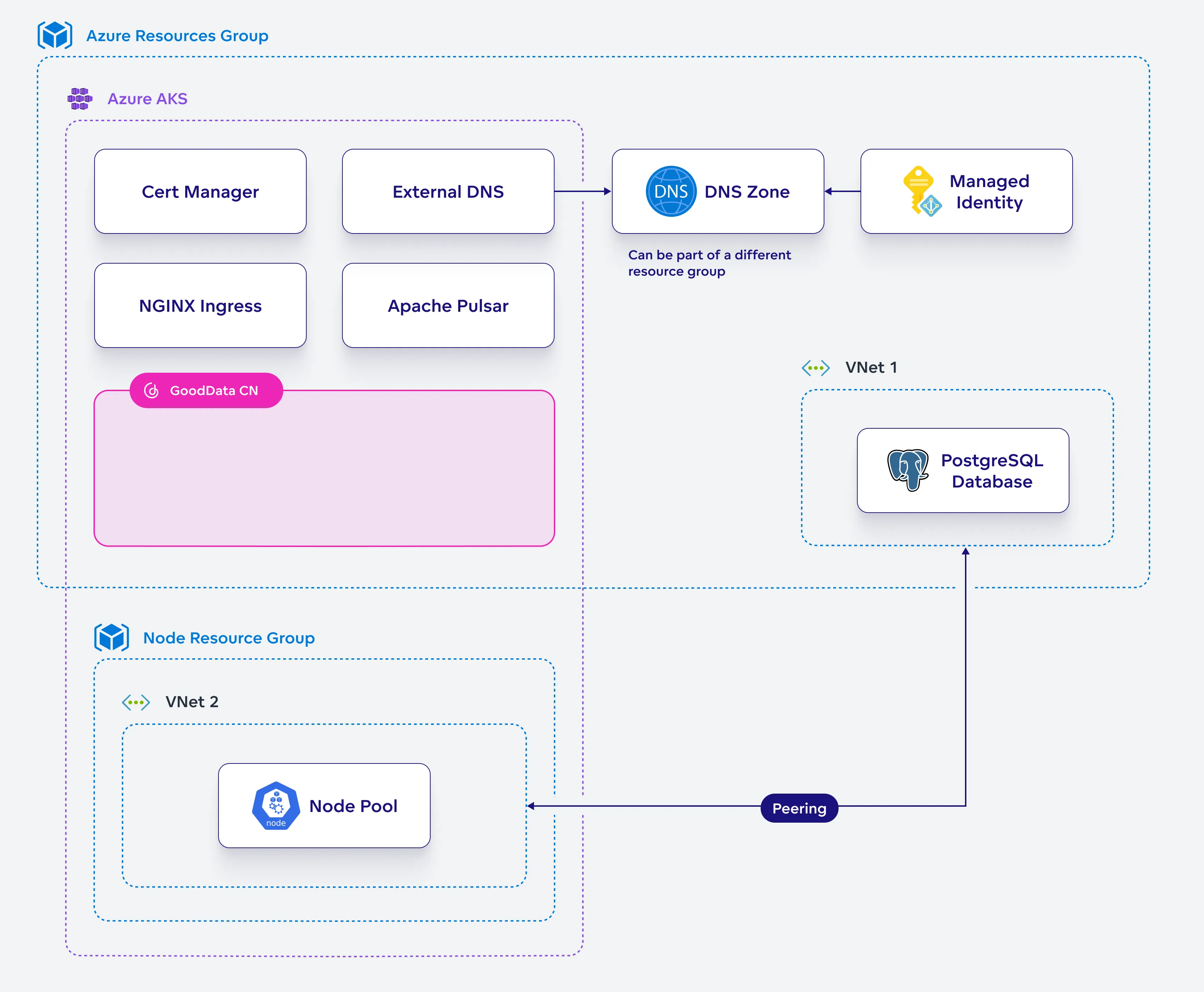
Steps:
Create a helm chart configuration file for GoodData.CN:
cat <<EOF > gooddata-values.yaml
license:
  existingSecret: $GD_LICENSE_KEY_SECRET
deployPostgresHA: false
deployDexIdP: false
service:
  postgres:
    host: $PG_HOSTNAME
    port: $PG_PORT
    username: $PG_ADMIN_NAME
    existingSecret: $PG_CREDENTIALS_SECRET
podDisruptionBudget:
  maxUnavailable: 1
metadataApi:
  encryptor:
    existingSecret: $GD_ENCRYPTION_KEYSET_SECRET
resultCache:
  totalCacheLimit: 10Gi
quiver:
  fsDatasourceFsStorage:
    storageSize: 10Gi
    storageClassName: azureblob-nfs-premium
  datasourceFs:
    storageType: FS
  durableStorageType: FS
  fsDurableStorage:
    storageClassName: azureblob-nfs-premium
exportController:
  fsExportStorage:
    storageClassName: azureblob-nfs-premium
    pvcRequestStorageSize: 10Gi
EOF
Run the Helm upgrade command to install GoodData.CN:
helm -n gooddata-cn upgrade --install gooddata-cn gooddata-cn \
  --wait --timeout 20m --repo https://charts.gooddata.com \
  --version 3.14.0 -f gooddata-values.yaml
Verify the installation by checking the status of your pods:
kubectl get pods --namespace gooddata-cnEnsure that all pods are in the
Runningstate. If any pods are stuck inPending,Error, orCrashLoopBackOffstates, you will need to diagnose and resolve these issues before proceeding.Save the
gooddata-values.yamlsomewhere to reuse in the future for when you decide to upgrade GoodData.CN to a newer version.