Switch AI Assistant Agents
Agent switching lets users choose which AI Assistant agent they want to use in a conversation. Use this feature when users have access to multiple agents created in AI Hub Agent Builder and want to switch between them without starting a new chat.
Each agent can have a different personality, skill set, AI Knowledge access, or user group assignment. Switching agents lets users choose the assistant experience that best matches their current question.
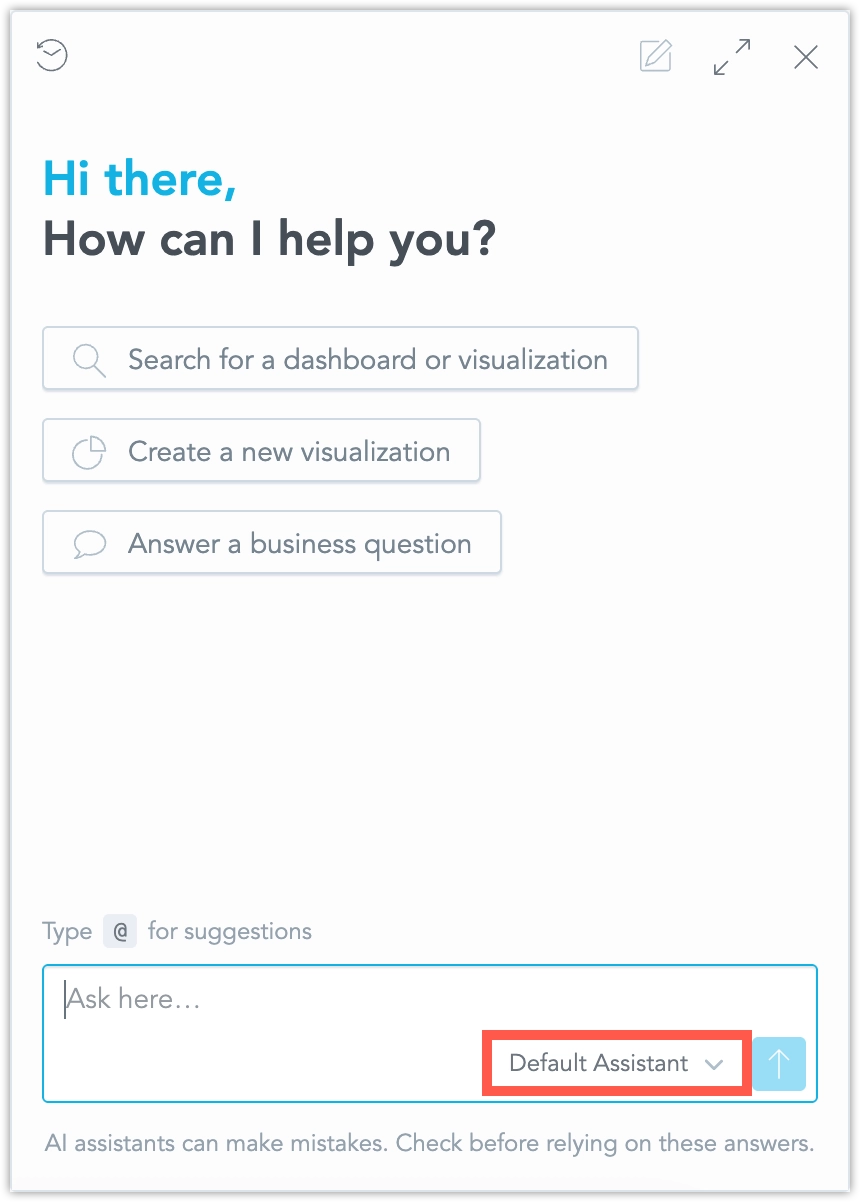
How Agent Switching Works
The active agent is shown in the AI Assistant input area. This helps users understand which agent will handle their next message.
If the user has access to multiple agents, they can open the agent selector and choose another available agent. After switching, the same conversation continues, but all following messages are handled by the newly selected agent. You cannot switch agents while the Assistant is generating a response. Wait until the current response is complete, then switch agents.
After the user switches agents, the switch is confirmed in the conversation after the user sends the next message. The conversation shows a marker such as Switched to Default agent, followed by the user’s new message.
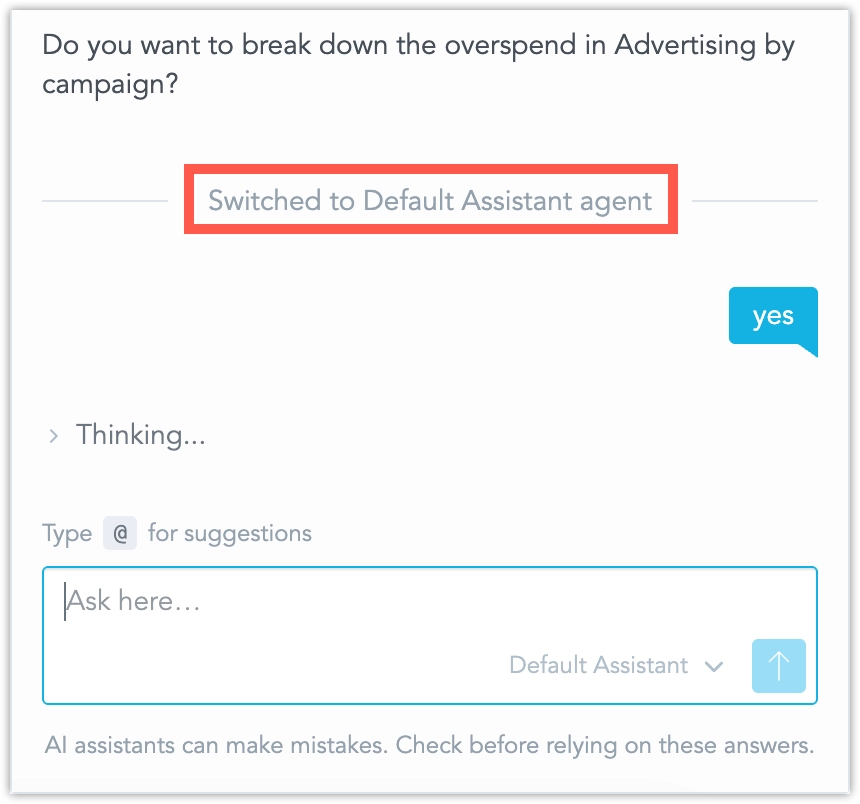
The previous conversation history is preserved. The new agent receives the earlier conversation as context, but uses its own configuration, including its own personality, available skills, and AI Knowledge access.
After switching agents, the new agent may not have access to the same skills or AI Knowledge as the previous agent.
How the Default Agent Is Selected
When a conversation starts, GoodData selects the active agent automatically.
GoodData uses the last-used available agent when that metadata is present. If no available agent has last-used metadata, GoodData uses the agent from the most recently updated previous conversation, as long as that agent is still available to the user. If no usable previous agent exists, GoodData uses the most recently edited available agent.
If no agent is available, the AI Assistant shows an error and blocks sending messages until an agent becomes available.
Limitations
The following limitations apply:
- You cannot switch agents while the Assistant is generating a response.
- If the list of available agents cannot be loaded, the Assistant shows
No agent is availableand blocks sending messages. - Switching agents preserves the conversation history, but the selected agent’s own skills and AI Knowledge access determine what it can do next.
- The agent switch marker appears after the user sends the next message following the switch.