Create a StarRocks Data Source
Follow these steps to connect to StarRocks and create a StarRocks data source:
Refer to Additional Information for additional performance tips and information about StarRocks feature support.
Configure User Access Rights
To ensure GoodData can successfully connect, discover metadata, and execute queries, you must grant permissions to the Catalog (data scope), Warehouse (compute scope), and Information Schema (metadata scope).
Run the following SQL commands as an ADMIN or ROOT user in your StarRocks cluster.
Set Context (Optional)
If you are provisioning access to an external catalog (e.g., Iceberg, Hudi) or a specific project catalog, switch to it first.
-- Switch to the target catalog (default is 'default_catalog')
SET CATALOG {catalog_name};
Create a Role
It is a best practice to manage permissions via roles rather than direct user grants.
CREATE ROLE {role_name};Grant Compute & Catalog Access
GoodData requires “Usage” privileges to enter the catalog and utilize compute resources.
-- Allow the role to access the catalog (Data Container)
GRANT USAGE ON CATALOG {catalog_name} TO ROLE {role_name};

-- Allow the role to use a compute warehouse (Compute Resources)
-- Note: 'default_warehouse' is standard, but change if using dedicated warehouses
GRANT USAGE ON WAREHOUSE {warehouse_name} TO ROLE {role_name};
Grant Metadata Discovery Permissions
GoodData needs to read the
information_schemato generate Logical Data Models (LDM). Without this, schema introspection will fail.-- Grant access to system views for metadata discovery GRANT SELECT ON ALL TABLES IN DATABASE information_schema TO ROLE {role_name}; GRANT SELECT ON ALL VIEWS IN DATABASE information_schema TO ROLE {role_name};Grant Data Access
Grant read access to the specific business data.
-- Option A: Grant access to the entire database
GRANT SELECT ON ALL TABLES IN DATABASE {database_name} TO ROLE {role_name};
GRANT SELECT ON ALL VIEWS IN DATABASE {database_name} TO ROLE {role_name};

-- Option B: Grant access to specific tables only
-- GRANT SELECT ON TABLE {database_name}.{table_name} TO ROLE {role_name};
Create User
Create the specific user and assign the role. Setting
cataloganddatabaseproperties is highly recommended so the user session automatically lands in the correct context.CREATE USER {user_name} IDENTIFIED BY '{strong_password}' DEFAULT ROLE {role_name} PROPERTIES ( "catalog" = "{catalog_name}", "database" = "{database_name}" );
Create a StarRocks Data Source
Once you have configured your StarRocks user’s access rights, you can proceed to create a StarRocks data source that you can then connect to.
Steps:
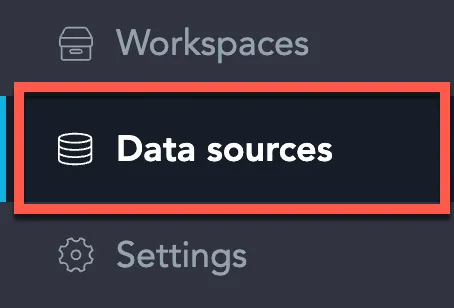
On the home page switch to Data sources.
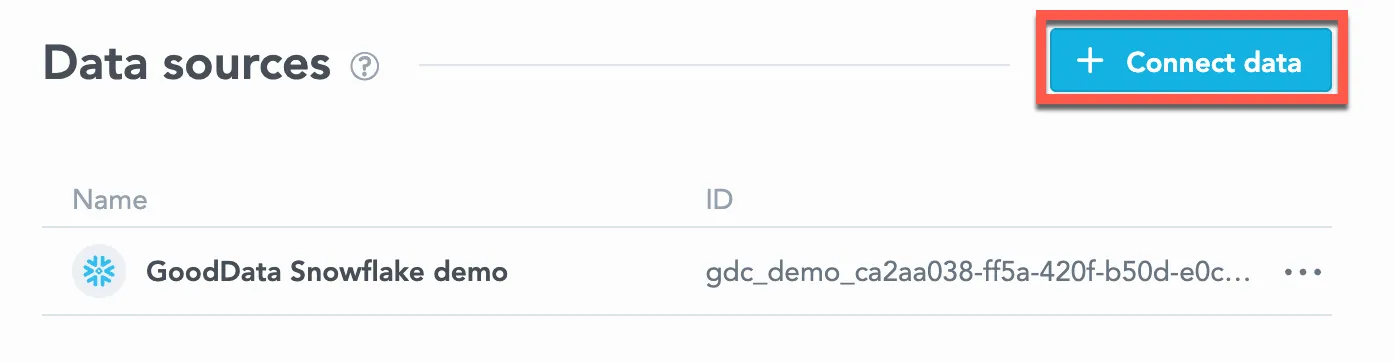
Click Connect data.
Select StarRocks.

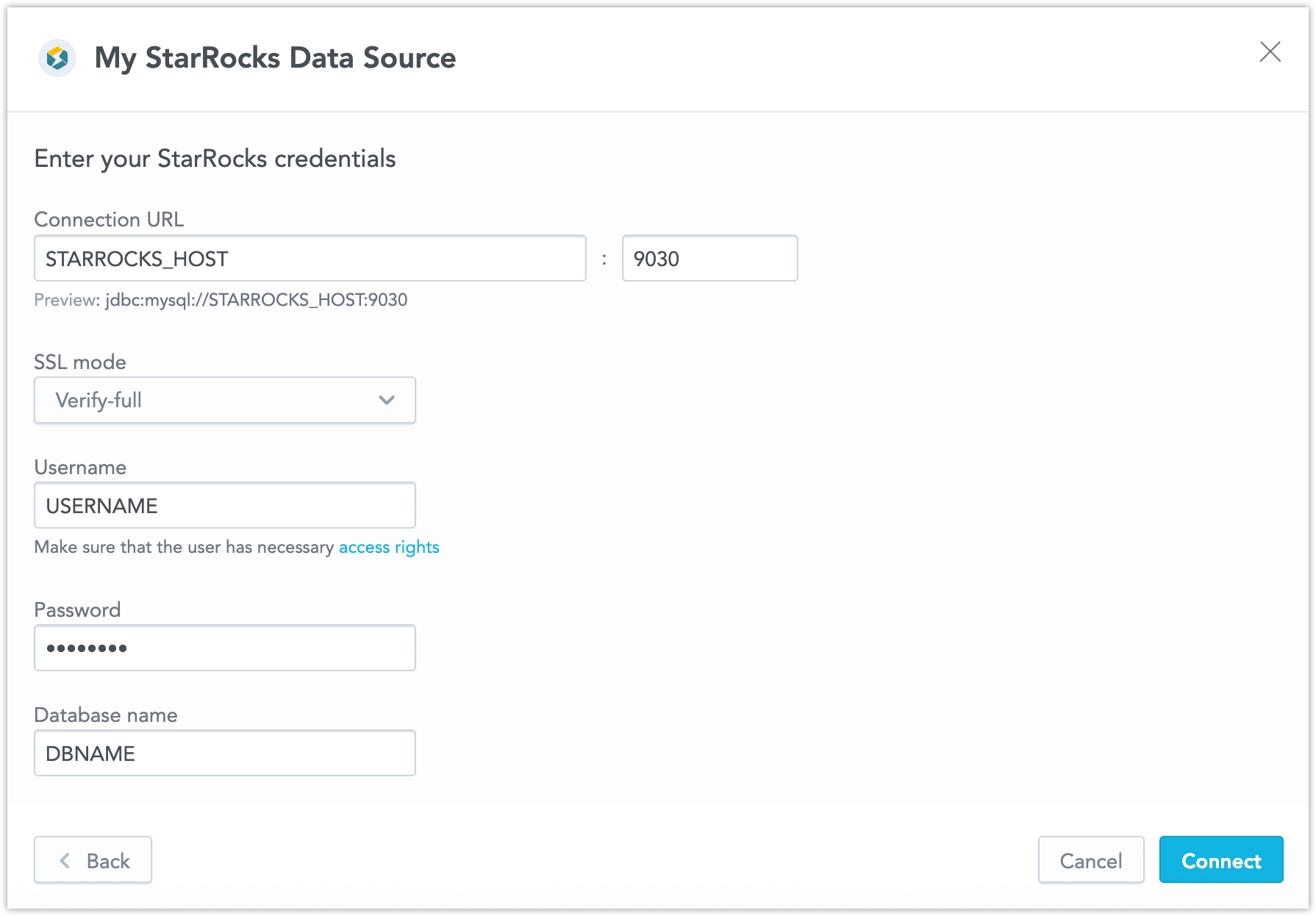
Name your data source and fill in your StarRocks credentials and click Connect:
Click Save.
Your data source is created!

Steps:
Create a StarRocks data source with the following API call:
curl $HOST_URL/api/v1/entities/dataSources \
-H "Content-Type: application/vnd.gooddata.api+json" \
-H "Accept: application/vnd.gooddata.api+json" \
-H "Authorization: Bearer $API_TOKEN" \
-X POST \
-d '{
    "data": {
    "type": "dataSource",
    "id": "<unique_id_for_the_data_source>",
    "attributes": {
    "name": "<data_source_display_name>",
    "url": "jdbc:mysql://<STARROCKS_HOST>:9030/<STARROCKS_DBNAME>?sslMode=<REQUIRED/VERIFY_IDENTITY>&permitMysqlScheme=true",
    "schema": "<STARROCKS_DBNAME>",
    "type": "STARROCKS",
    "username": "<STARROCKS_USER>",
    "password": "<STARROCKS_PASSWORD>"
}}}' | jq .
To confirm that the data source has been created, ensure the server returns the following response:
{
  "data": {
    "type": "dataSource",
    "id": "<unique_id_for_the_data_source>",
    "attributes": {
      "name": "<data_source_display_name>",
      "url": "jdbc:mysql://<STARROCKS_HOST>:9030/<STARROCKS_DBNAME>?sslMode=<REQUIRED/VERIFY_IDENTITY>&permitMysqlScheme=true",
      "schema": "<STARROCKS_DBNAME>",
      "type": "STARROCKS",
      "username": "<STARROCKS_USER>"
    }
  },
  "links": {
    "self": "$HOST_URL/api/v1/entities/dataSources/<unique_id_for_the_data_source>"
  }
}
Additional Information
Ensure you understand the following feature support, limitations, and recommended practices.
Analytical Function Support
StarRocks data sources support the following MAQL statistical and regression functions:
MEDIANPERCENTILECORRELCOVARRSQSLOPEINTERCEPT
You can use these functions in metrics backed by a StarRocks data source.
AI Lake currently uses StarRocks as its analytical compute engine, so the same function support applies when querying data through an AI Lake data source.
Note
Use this article to configure a direct connection to a StarRocks database.
AI Lake data sources are provisioned through AI Lake and are not created manually with the StarRocks connection flow described on this page. For details, see the AI Lake documentation.
Time Zone Conversion
StarRocks stores DATETIME values without a time zone. In the data source configuration you can interpret those values as local time (TIMESTAMP in the logical data model, no conversion) or as UTC (TIMESTAMP_TZ in the logical data model, converted to the effective time zone). New date dataset references inherit this setting. You can override the data type for a specific reference through the API or YAML. The web-based modeler cannot change this type, but it keeps an override you make through the API or YAML.
AI Lake data sources use the same setting. See DATETIME and Time Zone Conversion.
Unsupported Features and Limitations
GoodData does not currently support the following features:
Boolean Columns
Filtering directly by boolean columns is not supported.
If you need to filter by a boolean value, expose the value through a supported type in the source data or through a database view before creating the logical data model.
SQL Datasets
There are known issues when using SQL datasets with StarRocks:
- Converting a regular dataset into a SQL dataset can generate an invalid query. Review and adjust the generated SQL before saving the SQL dataset.
- SQL datasets are not supported if the query contains
TINYINT,FLOAT,DECIMAL, orDOUBLE UNSIGNED. - When converting a dataset to a SQL dataset, the StarRocks
YEARdata type is converted toSTRING.
Multiple Hosts
StarRocks JDBC URLs with multiple hosts are not currently supported. Configure the data source with a single StarRocks host.