Create a Trino Data Source
Connect GoodData to a Trino catalog and schema. You can authenticate with a username and password, an access token, or External OAuth.
The Trino user needs permission to read that catalog and schema. With External OAuth, that user is the signed-in GoodData user. See Trino security.
Create a Trino Data Source
Steps:
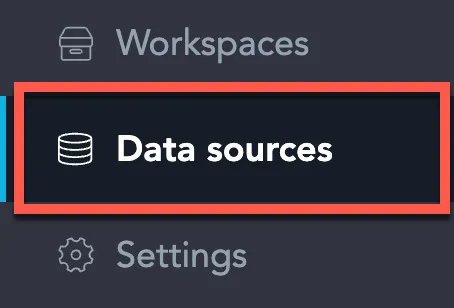
On the home page switch to Data sources.
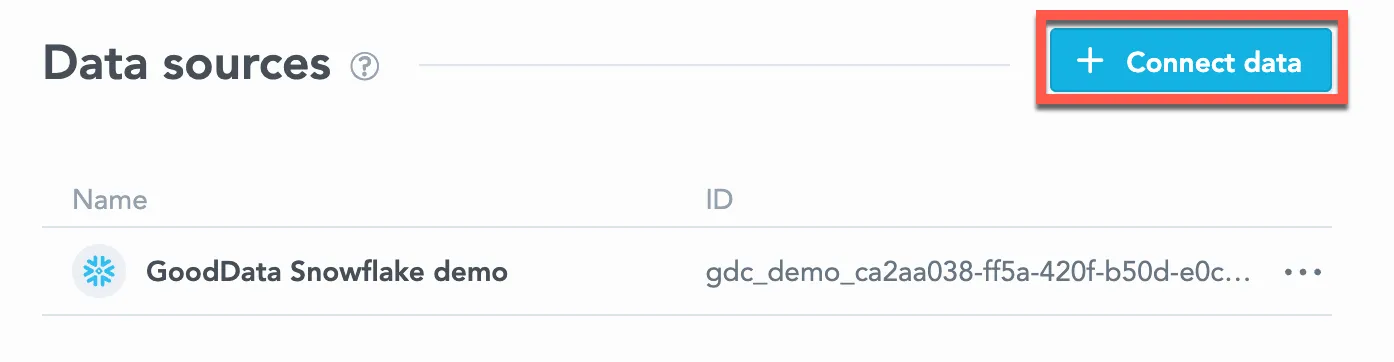
Click Connect data.
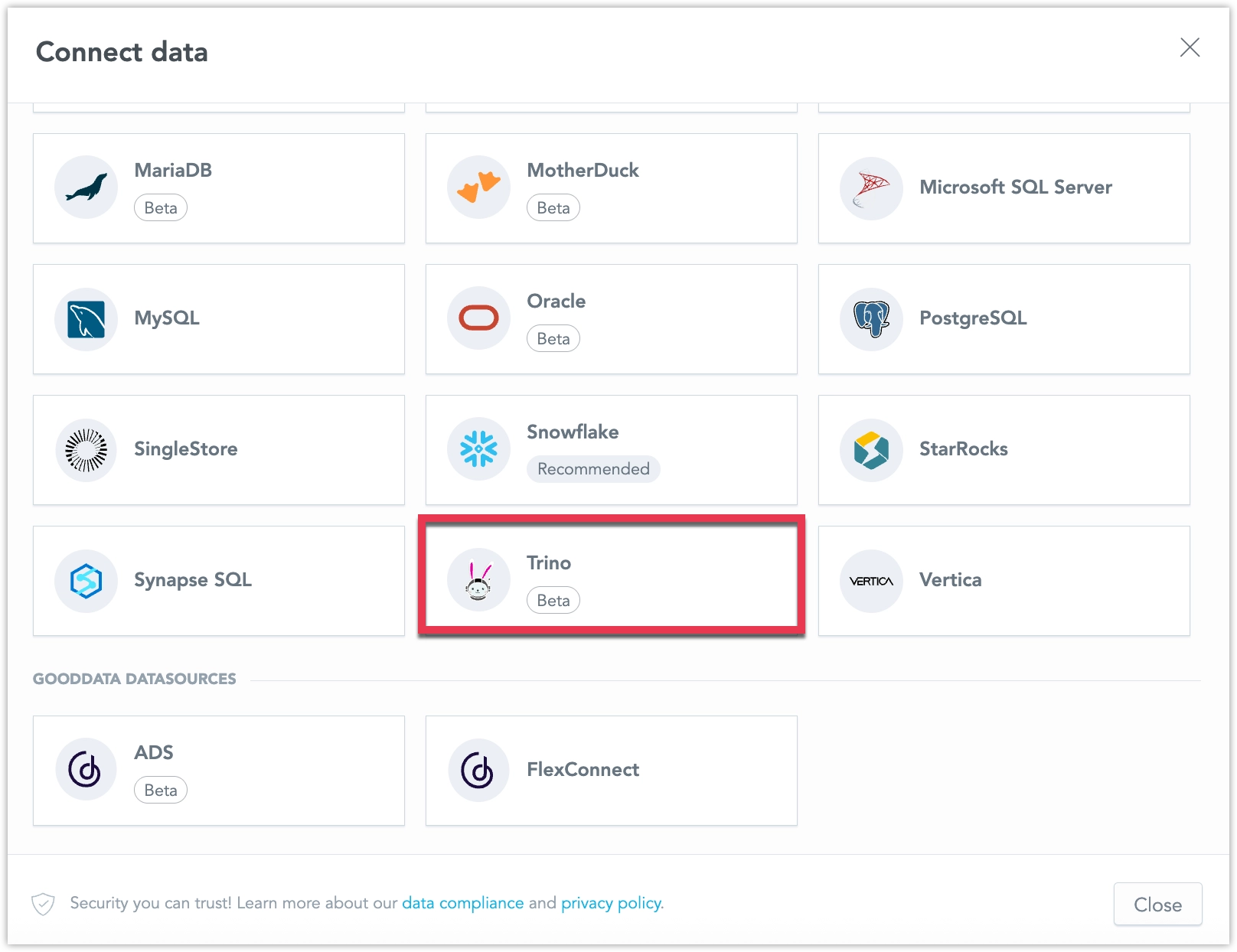
Select Trino.
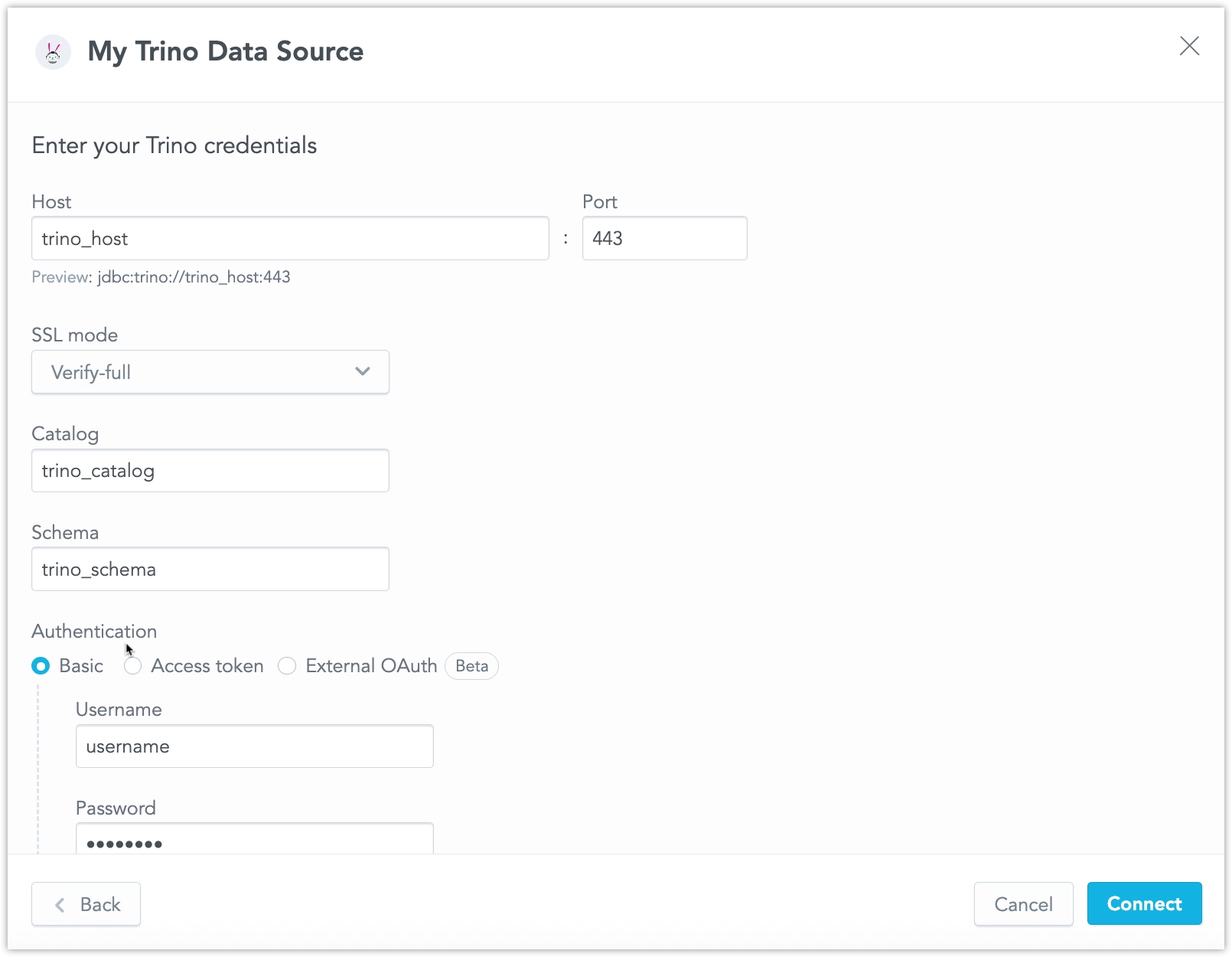
Name your data source and fill in the connection:
- Host and Port. The preview shows only the URL prefix
jdbc:trino://<host>:<port>. With Verify-full, GoodData savesjdbc:trino://<host>:443/<catalog>?SSL=true. The schema is stored separately. Disable uses port 8080. - SSL mode. Verify-full is the default.
- Catalog and Schema.
- Authentication:
- Basic: enter a username and password.
- Access token: enter a token. Do not enter a username.
- External OAuth: GoodData forwards the signed-in user’s access token to Trino. The form does not ask for credentials. Trino must be configured for OAuth 2.0 and the connection must use TLS. This option is available when users sign in to GoodData with an external identity provider. By default, GoodData validates the token’s
audclaim and sends the token only when that audience names this Trino host. See External OAuth Limitations.
- Host and Port. The preview shows only the URL prefix
Click Connect.
Your data source is created.
Steps:
Create a Trino data source that uses Basic authentication. The catalog is the last path segment of the JDBC URL. The schema is the
schemaattribute.curl $HOST_URL/api/v1/entities/dataSources \ -H "Content-Type: application/vnd.gooddata.api+json" \ -H "Accept: application/vnd.gooddata.api+json" \ -H "Authorization: Bearer $API_TOKEN" \ -X POST \ -d '{ "data": { "type": "dataSource", "id": "<unique_id_for_the_data_source>", "attributes": { "name": "<data_source_display_name>", "url": "jdbc:trino://<TRINO_HOST>:443/<TRINO_CATALOG>?SSL=true", "schema": "<TRINO_SCHEMA>", "type": "TRINO", "authenticationType": "USERNAME_PASSWORD", "username": "<TRINO_USER>", "password": "<TRINO_PASSWORD>" } } }' | jq .To use an access token, set
authenticationTypetoTOKENand sendtoken. Do not sendusernameorpassword.curl $HOST_URL/api/v1/entities/dataSources \ -H "Content-Type: application/vnd.gooddata.api+json" \ -H "Accept: application/vnd.gooddata.api+json" \ -H "Authorization: Bearer $API_TOKEN" \ -X POST \ -d '{ "data": { "type": "dataSource", "id": "<unique_id_for_the_data_source>", "attributes": { "name": "<data_source_display_name>", "url": "jdbc:trino://<TRINO_HOST>:443/<TRINO_CATALOG>?SSL=true", "schema": "<TRINO_SCHEMA>", "type": "TRINO", "authenticationType": "TOKEN", "token": "<TRINO_ACCESS_TOKEN>" } } }' | jq .To use External OAuth, set
authenticationTypetoOIDC_PASSTHROUGH. Do not sendusername,password, ortoken. The URL must use TLS. In the UI this option is External OAuth. By default, GoodData validates the token’saudclaim. See External OAuth Limitations.curl $HOST_URL/api/v1/entities/dataSources \ -H "Content-Type: application/vnd.gooddata.api+json" \ -H "Accept: application/vnd.gooddata.api+json" \ -H "Authorization: Bearer $API_TOKEN" \ -X POST \ -d '{ "data": { "type": "dataSource", "id": "<unique_id_for_the_data_source>", "attributes": { "name": "<data_source_display_name>", "url": "jdbc:trino://<TRINO_HOST>:443/<TRINO_CATALOG>?SSL=true", "schema": "<TRINO_SCHEMA>", "type": "TRINO", "authenticationType": "OIDC_PASSTHROUGH" } } }' | jq .
Create a Trino data source that uses Basic authentication:
from gooddata_sdk import GoodDataSdk, CatalogDataSource, BasicCredentials

host = "<GOODDATA_URI>"
token = "<API_TOKEN>"
sdk = GoodDataSdk.create(host, token)

sdk.catalog_data_source.create_or_update_data_source(
    CatalogDataSource(
        id="<data_source_id>",
        name="<data_source_name>",
        type="TRINO",
        url="jdbc:trino://<TRINO_HOST>:443/<TRINO_CATALOG>?SSL=true",
        schema="<TRINO_SCHEMA>",
        credentials=BasicCredentials(
            username="<TRINO_USER>",
            password="<TRINO_PASSWORD>",
        ),
    )
)
Create an access-token or External OAuth data source with the API. The Python SDK has no Trino-specific data source class.
Additional Information
JDBC URL
The connection URL has this form:
jdbc:trino://<host>:<port>/<catalog>
- The catalog is the path segment after the port. Do not put the schema in the URL. Set it in the
schemaattribute. - The only accepted query parameters are
SSLandSSLVerification.
SSL Mode
| SSL mode | JDBC query | Behavior |
|---|---|---|
| Disable | none | Connects without encryption. The form uses port 8080. |
| Require | SSL=true&SSLVerification=NONE | Encrypts the connection and does not verify the server certificate. |
| Verify-ca | SSL=true&SSLVerification=CA | Encrypts the connection and checks the certificate without checking the host name. |
| Verify-full | SSL=true | Default. Encrypts the connection and checks that the certificate matches the host name. The form uses port 443. |
External OAuth requires an encrypted connection. The JDBC driver does not send the access token over plain HTTP.
External OAuth Limitations
External OAuth forwards the access token from the signed-in user’s session. By default, GoodData validates the aud claim of that token. The token is sent only when an audience value names the Trino host. A host name is enough. When the audience is a URL, it must also match the scheme and port.
Only an organization administrator can set ignoreJwtAud to true on the data source to skip this check. Keep the check enabled, and configure the identity provider so aud names the Trino host.
- Scheduled exports and alerts are not supported. They run without that access token.
- Requests authenticated with a GoodData API token are not supported for the same reason.
- AI features that query Trino do not receive the user’s access token. Visualizations executed in the browser still use the signed-in user’s token.