Collapsible and Resizable Dashboard Sidebar
Experimental Feature
Collapsible and resizable dashboard sidebar is an experimental feature. The behavior may change in future releases.
To try this feature, enable it in Settings > Early Access for the workspaces where you want to use it. See Enable Early Access Feature.
In dashboard view, you can change how much room the Dashboards list uses.
Drag the edge of the sidebar to make it wider or narrower. Collapse it when you want the open dashboard to use the full width. A button in the dashboard header opens the sidebar again.
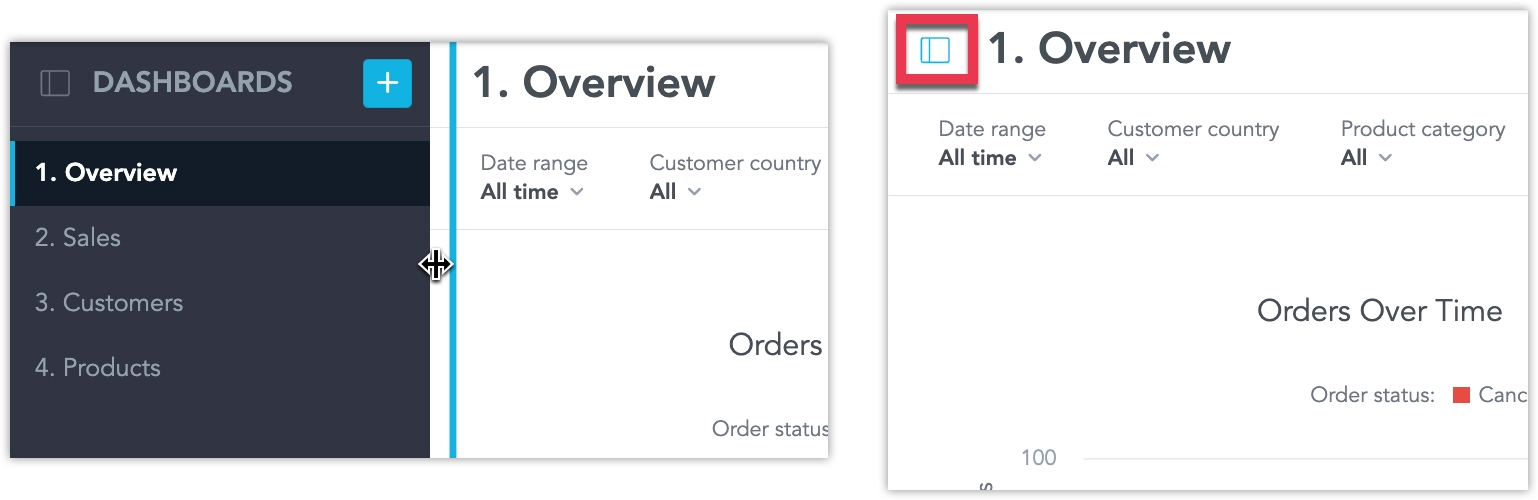
The width you choose, and whether the sidebar is collapsed, is remembered in this browser. On a small screen, dashboards use a menu instead of the sidebar, so resize and collapse are not available there.