Manage AI Assistant Conversations
Experimental Feature
This is an experimental feature that is still under active development. Its behavior may change in future releases, or the feature may be removed.
The AI Assistant saves your conversations so you can return to previous analysis, continue where you left off, or keep separate topics in separate conversations.
Conversation management helps you:
- continue earlier investigations
- switch between different topics
- start a clean conversation when needed
- delete conversations you no longer need
- pin important conversations for quick access
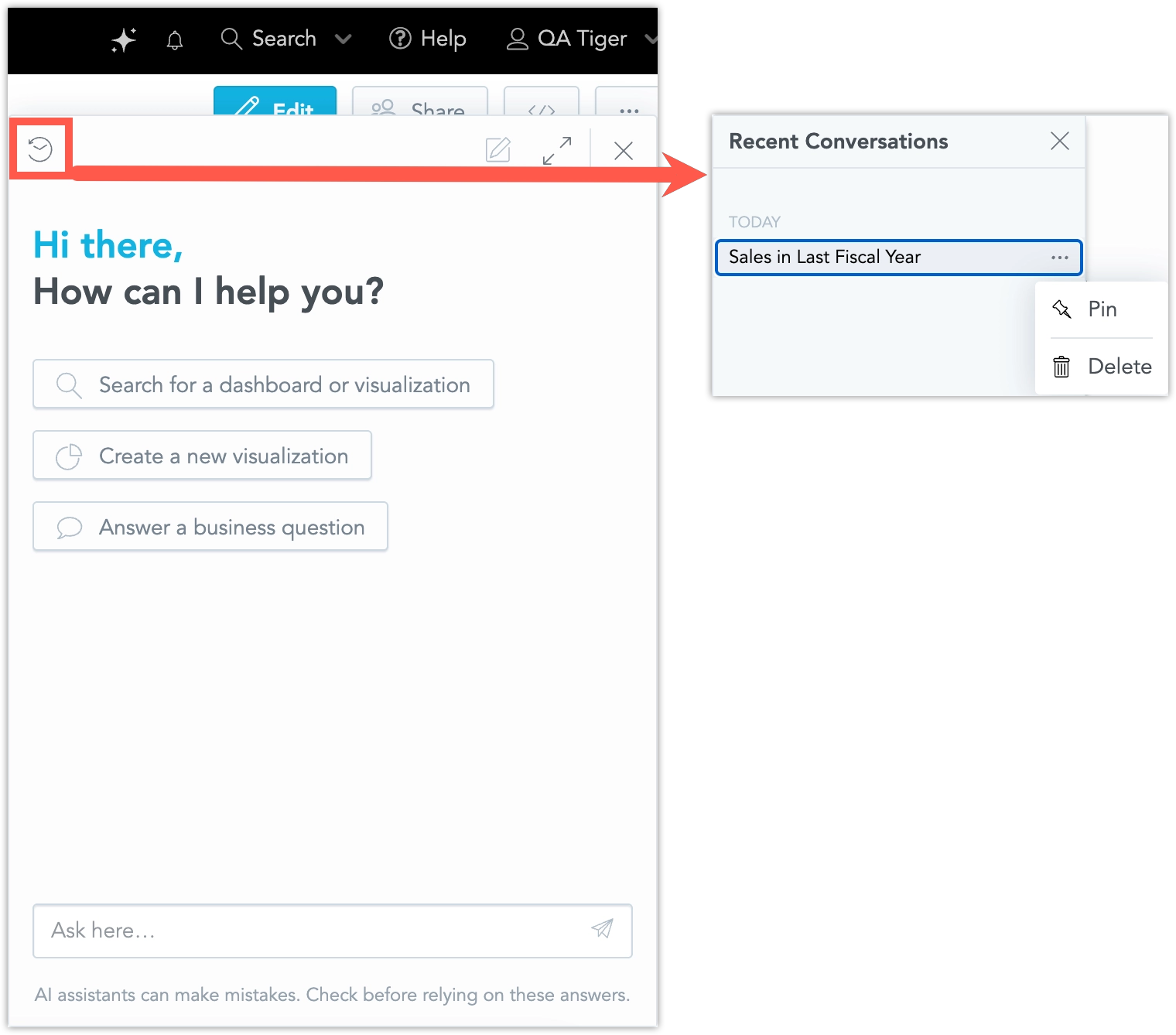
Open Previous Conversations
To open the conversation list, open the AI Assistant and select the conversation list option.
The list shows your recent conversations with:
- generated conversation titles
- timestamps
- pinned conversations, if any
Select a conversation to open it and continue from the previous context.
Continue an Earlier Conversation
You can return to a conversation from an earlier session and continue working with the same context.
For example, if you were investigating a revenue change and later opened a visualization summary, you can return to the original conversation and continue the investigation from where you left off.
Conversation history is retained for a configurable period. The default retention period is 30 days.
Start a New Conversation
Start a new conversation when you want to ask about a different topic without mixing it with the current context.
For example, if you are investigating customer churn and need to answer an unrelated budget question, start a new conversation for the budget question. You can then return to the churn conversation later.
Pin or Delete a Conversation
Pin important conversations to keep them easy to find. Pinned conversations appear in the Pinned section at the top of the conversation list.
To pin a conversation:
- Open the conversation list.
- Open the … (ellipsis) menu.
- Select Pin.
To remove a conversation from the pinned section, open the same menu and select Unpin.
In the same menu, you can select Delete to delete a specific conversation. This is permanent and cannot be undone. If you delete the current conversation, the AI Assistant opens a new empty conversation automatically.
Conversation Titles and Timestamps
The AI Assistant generates conversation titles from the opening message. Titles and timestamps help you identify conversations quickly, especially when you have several related analyses.
Notes
- Conversations are available only to the user who created them.
- Pinned conversations remain pinned until you unpin or delete them.
- Conversation history is retained for a configurable period. The default is 30 days.