Language Usage
Experimental Feature
Language usage is an experimental feature. The behavior may change in future releases.
To try this feature, enable it in Settings > Early Access. See Enable Early Access Feature.
Language usage shows which languages your organization uses. Display language, metadata language, and data language are set separately. See Change Display Language.
See Languages in Use
Open Settings > Localization & Formats. Language usage is at the top of the page.
Each row is one language code, such as de-DE and de-AT on separate rows. The row shows the language name and code, how many workspaces use that language, and how many people have chosen it as their own setting.
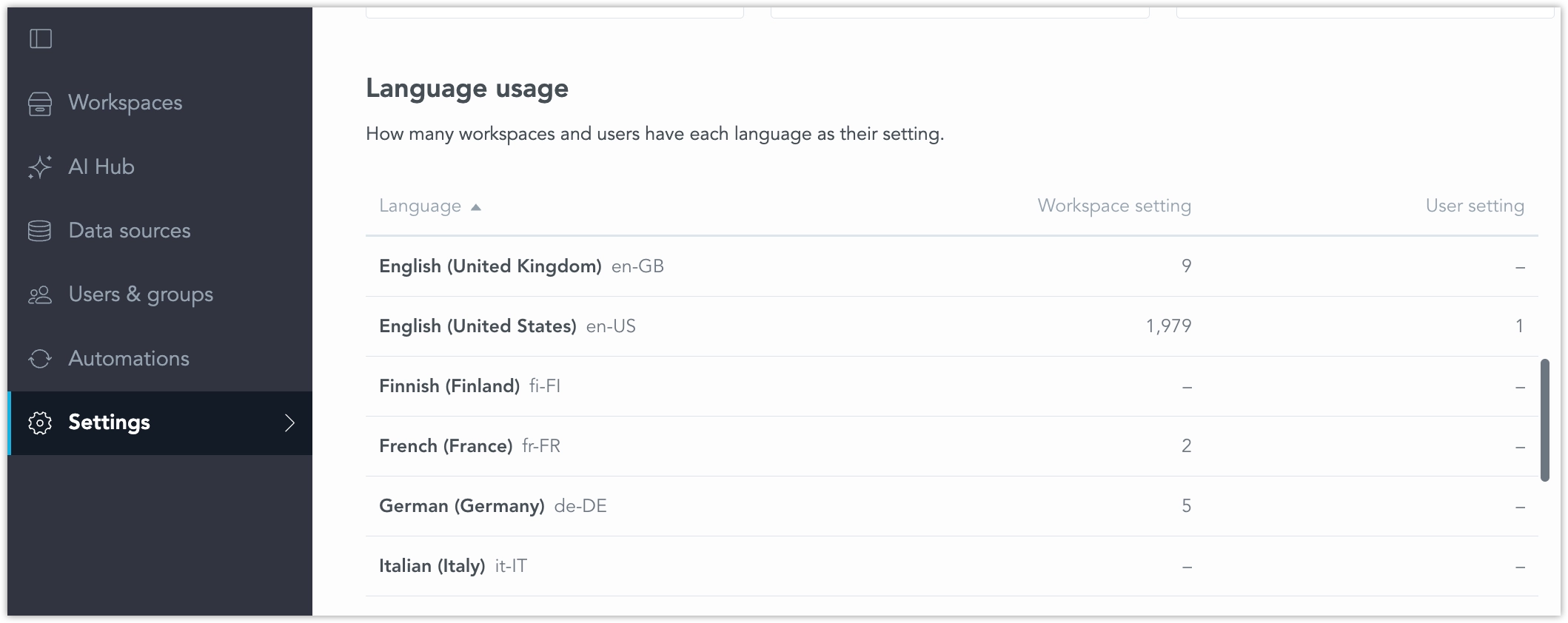
A workspace is counted under the language it gets. That includes a language set on the workspace, inherited from a parent workspace, or taken from the organization default. A workspace is counted once for a language, even when more than one setting uses that code.
The user count is people who chose that language themselves. People who have not chosen a language are counted once, on the organization default, because the language they see depends on the workspace they open.
A translation that nobody uses is still listed. The data language has no organization default. Workspaces without a data language are shown as not set, and their values stay as stored.
Open a Language
Select a language to see where it is used.
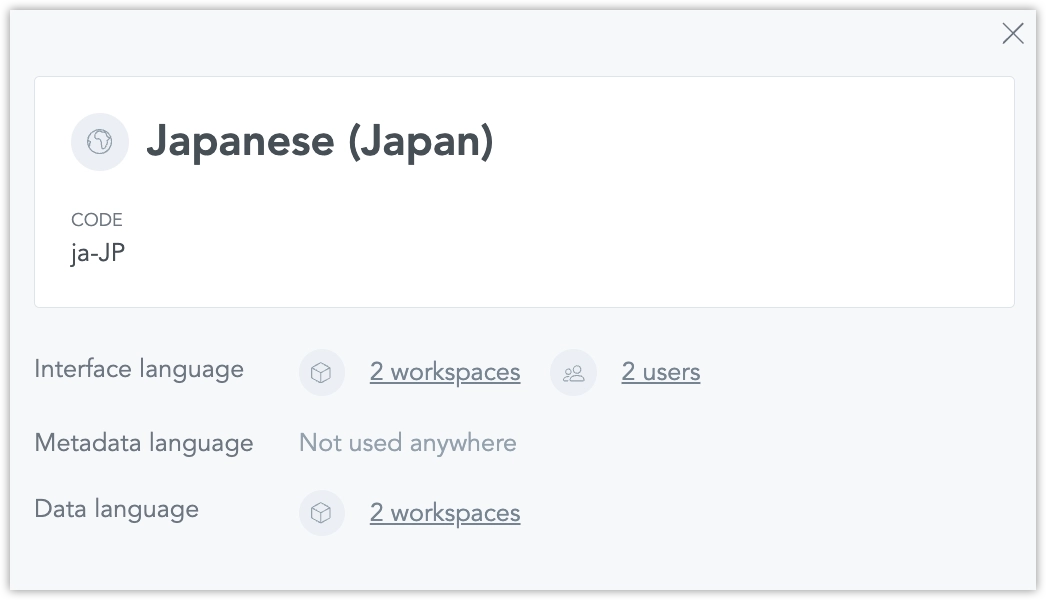
For display language, metadata language, and data language separately, the detail lists the workspaces that use the code and whether each value is set on the workspace, inherited from a parent workspace, or taken from the organization default. It also lists the people who chose that language themselves.
An unsupported display language still appears. People with that setting see the interface in English.
Check One Workspace
A workspace Settings tab shows the same overview for that workspace. It counts everyone with access under the language they see there. A person’s own language wins over the workspace language.
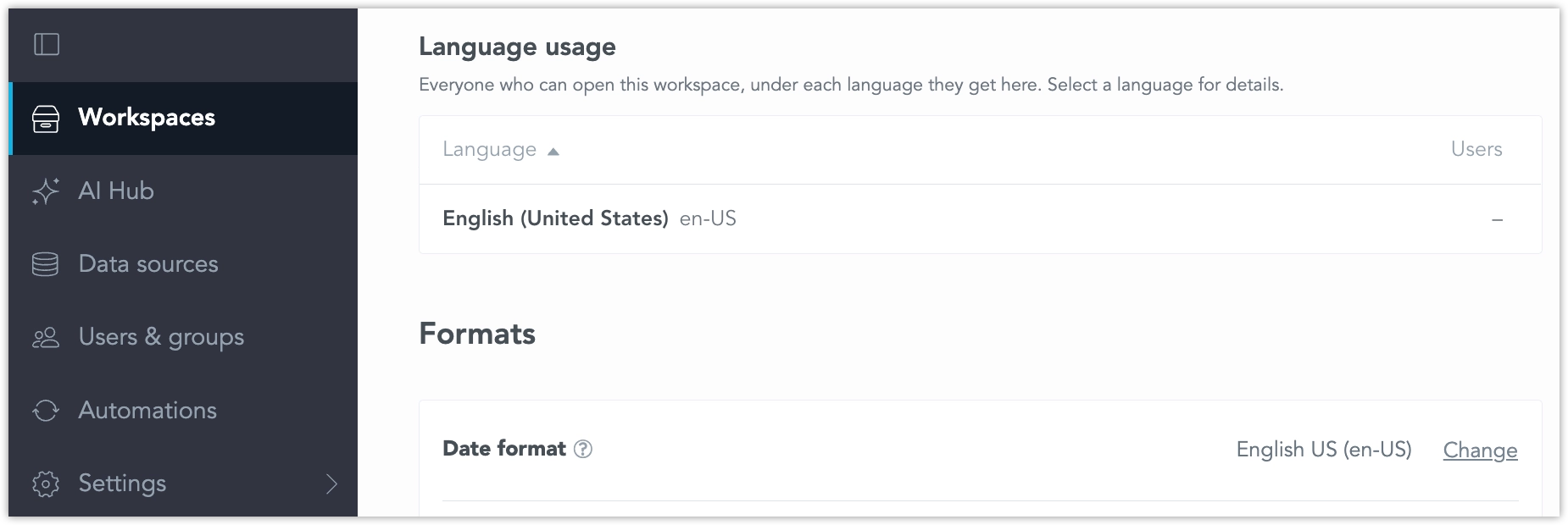
The workspace overview also shows how many metadata texts and data labels are translated. Metadata texts are titles, descriptions, tags, and free-form texts. A child workspace includes texts inherited from its parent in that count.
Change a Person’s Languages
In Users & groups, open a user to see their display language, metadata language, and data language. You can change those three settings. If a person has not chosen a language, the detail shows that they follow each workspace.
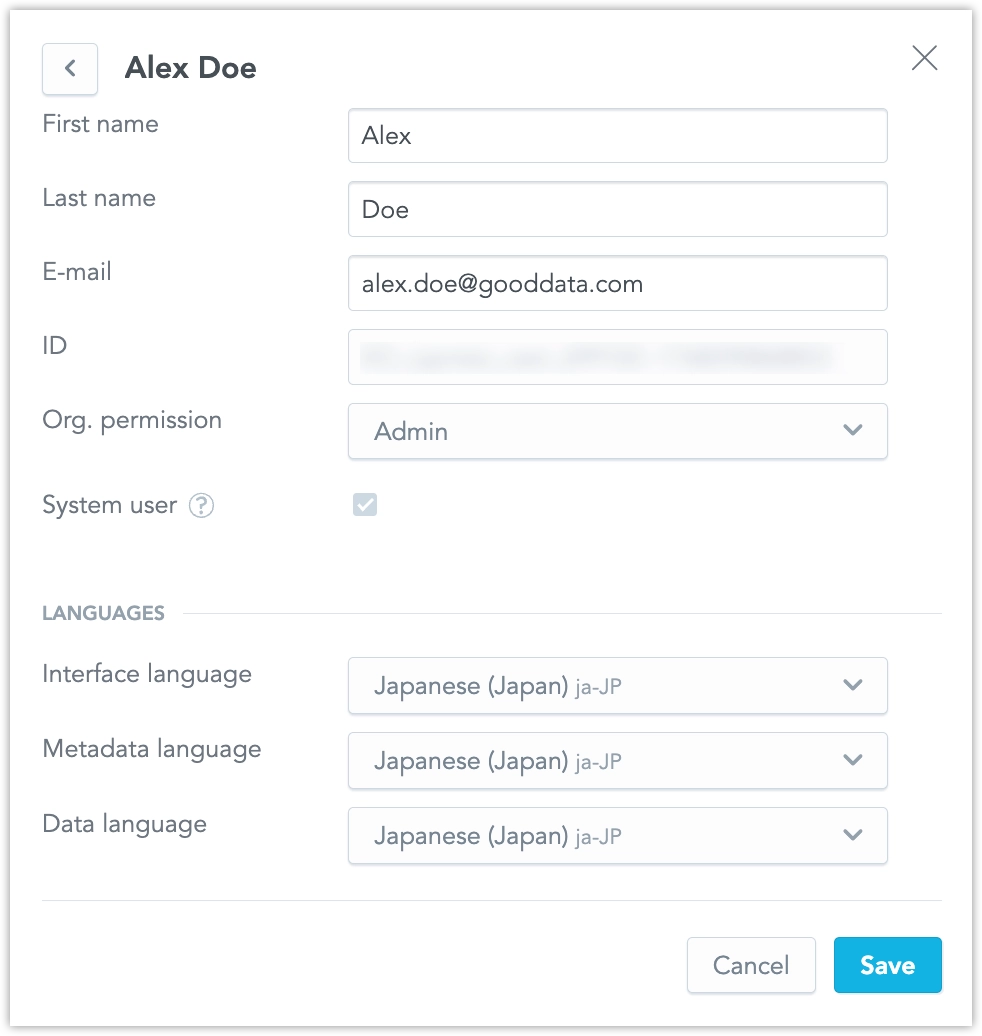
Apart from this edit, the overview is read-only. Workspace administrators see it for the workspaces they manage. The organization page is available to organization administrators.